mw4botlobby.com logo MW4 Bot Lobby Premium MW4 Lobbies. Direct Support.
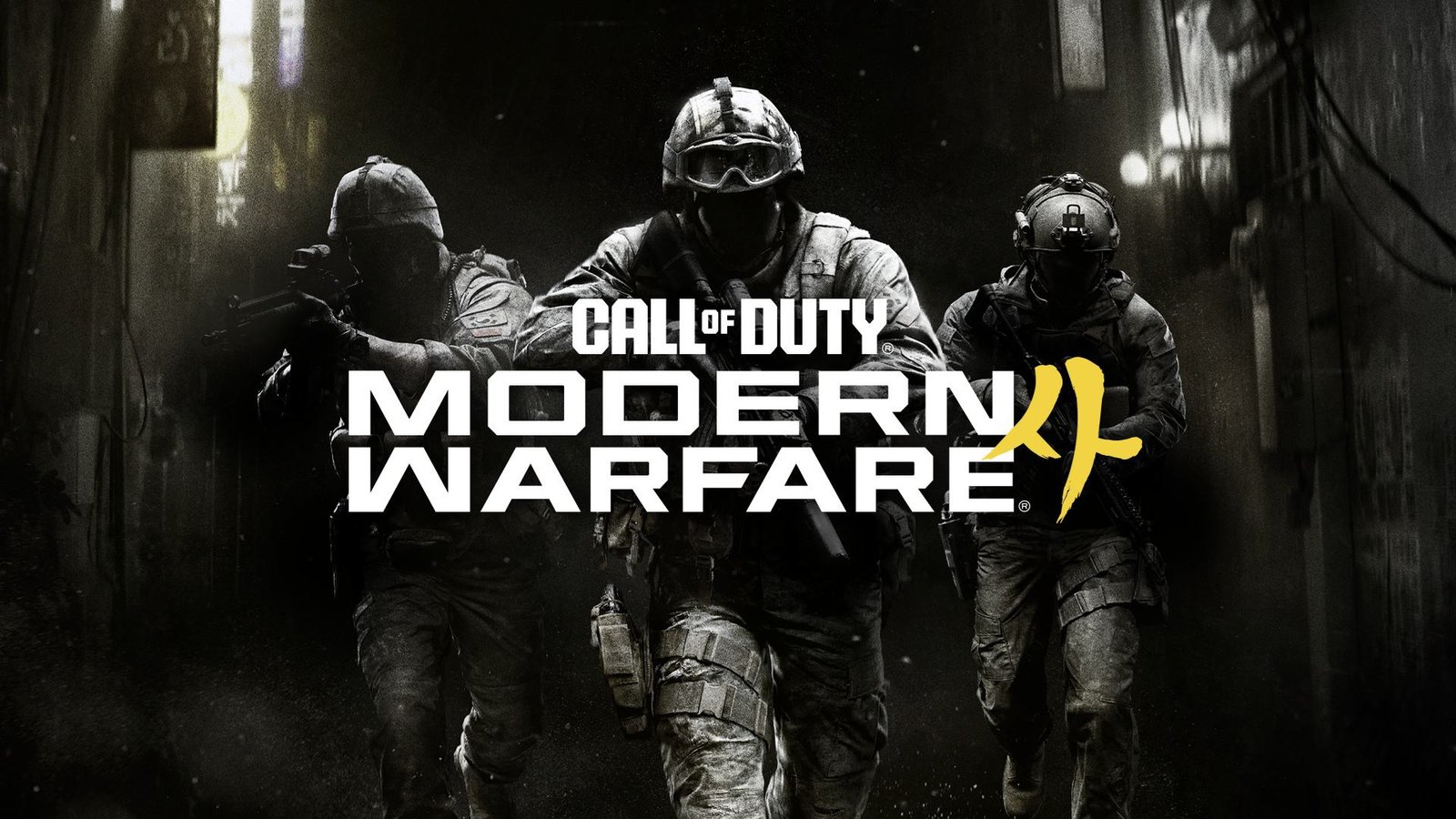
Modern Warfare 4 artwork with soldiers

Book Your MW4 Bot Lobby

Book your MW4 bot lobby in three steps: select 10 minutes, 30 minutes, or 1 hour; complete the matching checkout; then send support your receipt and preferred start time. You join the confirmed session on your own account. Separate tool licenses and FFA services are available below.

Secure checkout via Stripe links

Most orders completed the same day

Order Flow

Simple operator workflow from checkout to delivery.

Step 1: Pick Package

Select your MW4 service tier and click the matching payment or order button.

Step 2: Checkout

Complete secure payment or request the monthly tool invoice. Keep receipt ID and selected package info.

Step 3: Contact Support

Message support on Discord or email with order confirmation and preferred schedule.

Step 4: Delivery

Operator confirms start time and executes your selected service package.

MW4 Bot Lobby Sessions

Choose 10 minutes, 30 minutes, or a full hour of hosted lobby time. All displayed prices are in USD.

10 Minutes

$10 USD

A short session for a focused challenge or a quick weapon XP boost.

  • Hosted lobby session
  • Play on your own account
  • Direct support

30 Minutes

$20 USD

More time to work through camo challenges and level up your favorite weapons.

  • Hosted lobby session
  • Play on your own account
  • Direct support

Complete checkout, then contact support with your selected session length and preferred start time.

All sales are final. We do not provide refunds.

We are not affiliated with Activision or Treyarch. All services are for entertainment and progression purposes only.

Special Options

Dedicated upgrade path for FFA reward unlocks.

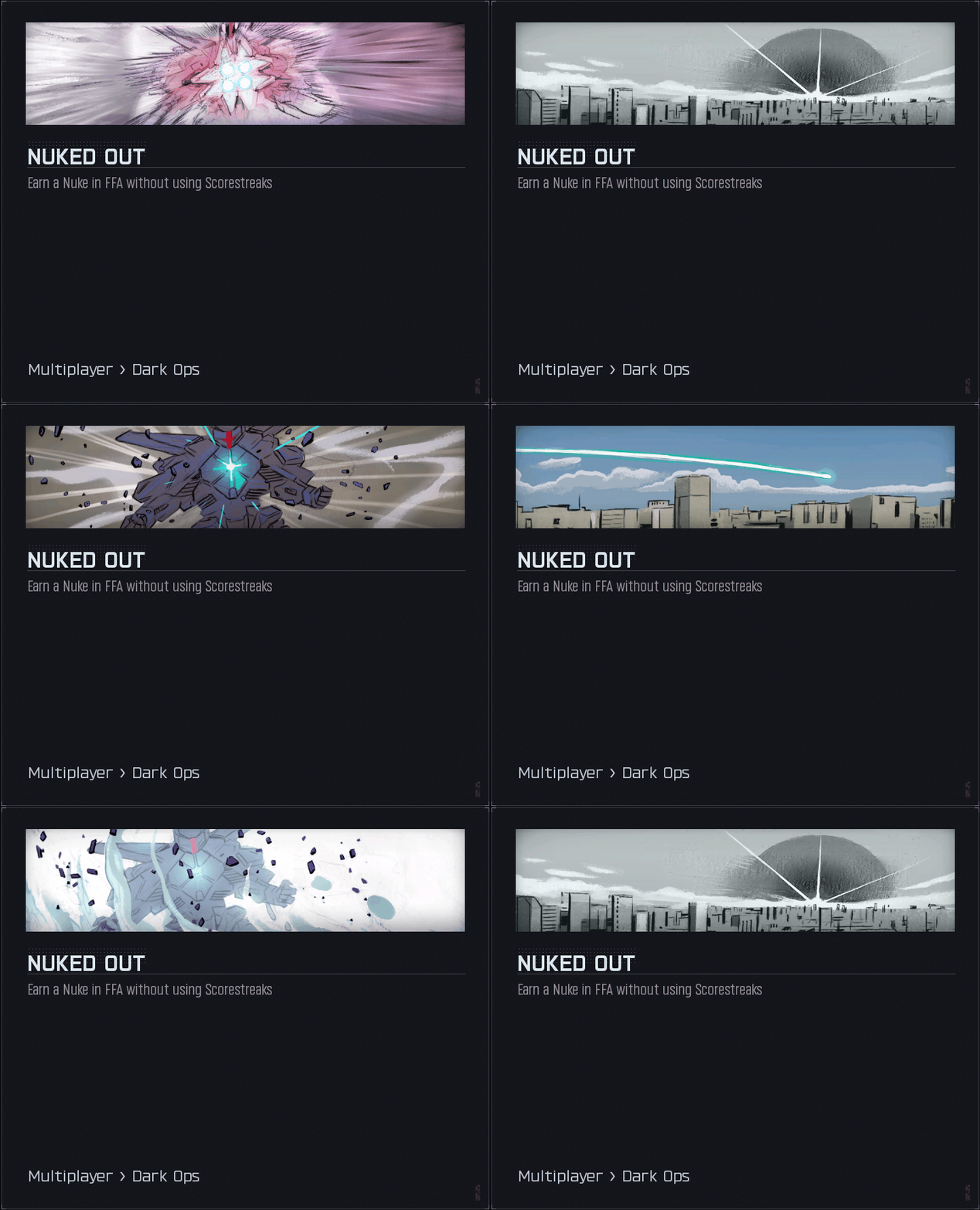
MW4 FFA Nuke

25 USD

Free For All Nuked Out service with fast, reliable delivery for rare profile rewards.

  • Rare Nuclear Calling Card from FFA mode
  • Standard Nuclear Calling Card
  • Quick and effortless completion
MW4 FFA Nuke calling card unlock preview

Bot Lobby Tool Access

Standalone plans for Bot Lobby Tool licensing.

Tool Access: 1 Day

10 USD

24-hour access for short, focused workflows.

Buy 1 Day

Tool Access: 1 Week

25 USD

7-day access for repeat sessions and stable scaling.

Buy 1 Week

Tool Access: 1 Month

50 USD

Monthly access to Bot Lobby Tool package.

Buy 1 Month
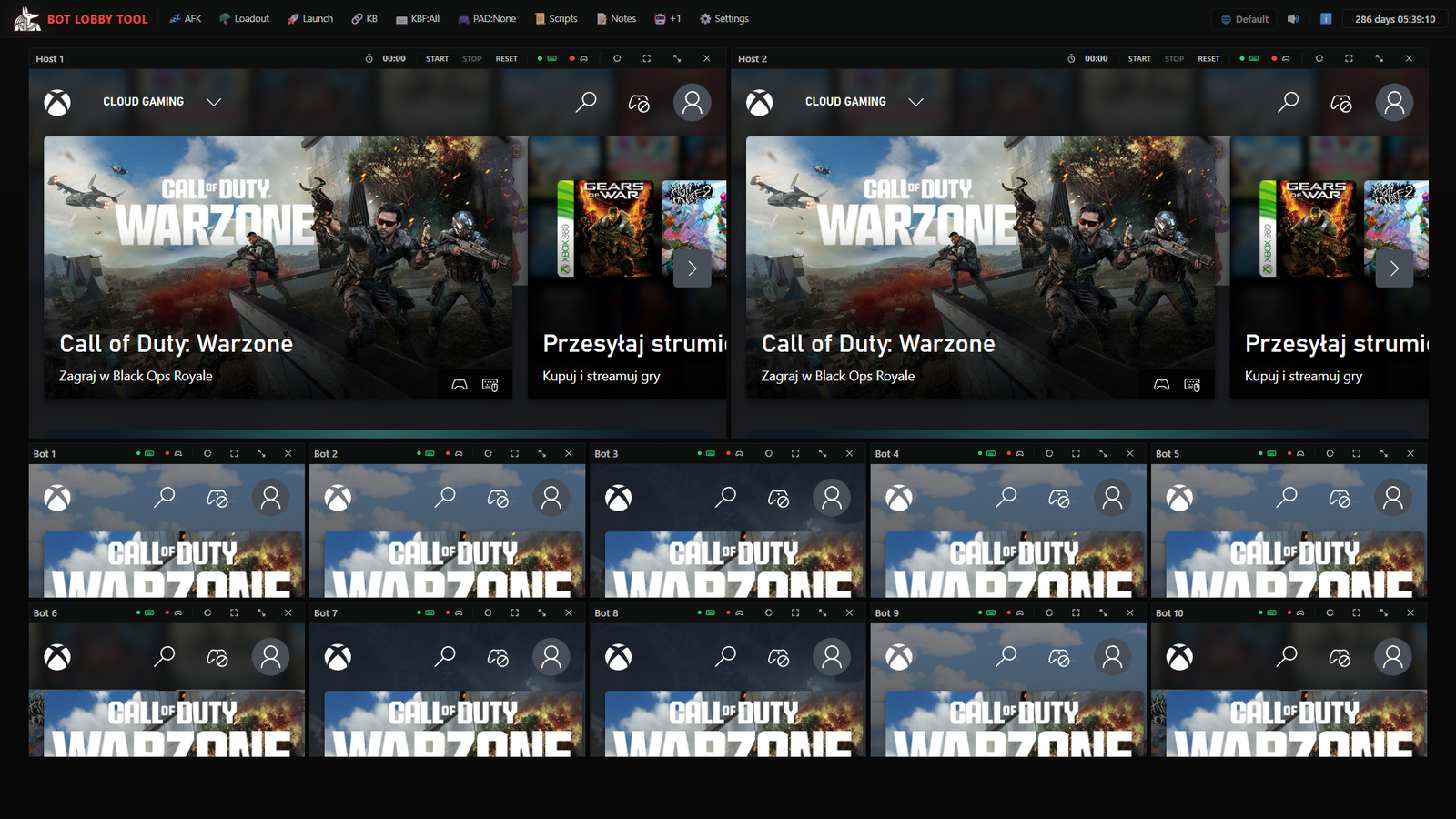
Bot Lobby Tool dashboard for MW4 bot lobby management

Bot Lobby Tool v4 demo from the official codboostme channel.

All sales are final. We do not provide refunds.

We are not affiliated with Activision or Treyarch. All services are for entertainment and progression purposes only.

Requirements: A Windows PC and one Xbox Game Pass Ultimate subscription per host/bot view. Game Pass subscriptions are not included with Bot Lobby Tool.

More info: botlobbytool.com

3 Box Tool + Built-In Discord Bot

Discord-controlled Call of Duty lobby search tool for one host and one bot view.

3 Box Tool Monthly

100 USD / month
Built-In Discord Bot

Configure once. Let it run automatically. After setup, the bot handles customer flow, queue, status updates, cooldowns, and owner alerts so you can stay hands-off until you need to step in.

3 Box lets customers run your Call of Duty lobby search service directly from Discord, while you control everything from the desktop app.
  • Designed for H1 + B1 workflows
  • Customers join queue, connect to your bot, and start searching from Discord
  • Sessions, queue, cooldowns, owner alerts, and status updates are handled automatically
  • Set up your rules, branding, and buttons once, then reuse them every session
  • Desktop app keeps full operator control

Discord Bot Features

  • Public search panel and private customer panel
  • One active customer at a time with queue handling
  • Priority users and priority roles
  • Session timeout and cooldown after match found
  • Public status: online, busy, queue, next spot, region
  • Maintenance / busy mode
  • Customer panel cleanup and public panel refresh tools

Customer Workflow

  • Customer opens the public Discord panel
  • Start if free, or join queue if busy
  • Bot shows the Leader ID
  • Customer adds the Leader ID in Call of Duty
  • Bot waits until the player is ready
  • Search unlocks automatically, then customer chooses game mode
  • Session closes automatically after match found

Owner Control

  • Desktop settings panel and Discord bot control window
  • Emergency actions, busy mode, and queue/session viewer
  • Session event history and recent customer timeline
  • Clear logs and refresh public panels
  • Owner DM commands, status command, and command list
  • Live view check by DM

Automation Features

  • Custom bot actions and built-in Warzone search flow
  • Host-only, bot-only, both, and single-view targeting
  • Target specific views like H1 and B1
  • Editable idle action and automatic anti-AFK idle mode
  • Delays, chained actions, and configurable customer flow
  • Configurable game mode buttons

Alerts and Support

  • Owner notifications for queue, search start, player ready, match found, and errors
  • Optional session summary sent to owner or support
  • Optional support button linked to a Discord user or ticket channel
  • Watchdog support for offline and crash detection
  • Diagnostic logs for app, Discord, and view health

Security and Packaging

  • License system and one app instance protection
  • Protected build output
  • Integrity and tamper checks
  • Secure settings storage in app data
  • Settings backup and restore
  • Crash and watchdog logging

3 Box Tool showcase with built-in Discord bot workflow.

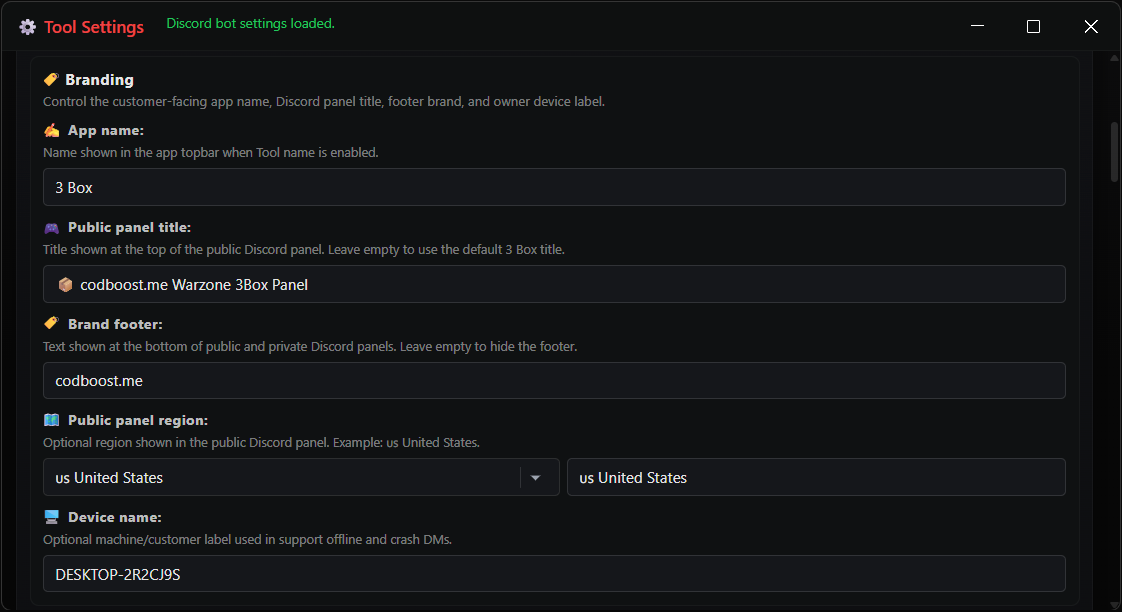
3 Box Tool branding settings panel

Branding Settings Panel

Customize the customer-facing name, public panel title, footer brand, region label, support identity, and device label from the settings panel.
  • Show your own brand name on customer panels
  • Set region and support labels for each setup
  • Keep saved branding ready for repeat customers
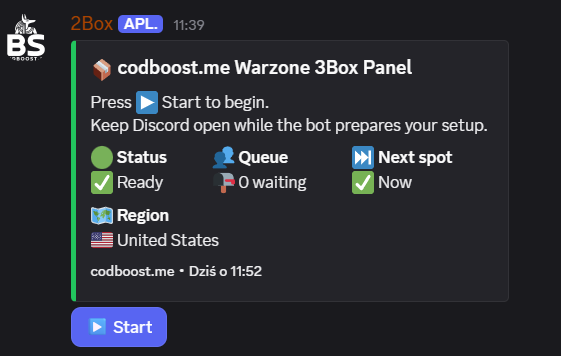
Discord server bot panel with branded 3 Box start button

Discord Server Bot Panel

Customers see a clean branded panel in your Discord server with start flow, status, queue count, next spot, region, and footer brand.

  • Branded title and footer for your server
  • Start button keeps the customer flow simple
  • Status, queue, and region are shown clearly

All sales are final. We do not provide refunds.

Requirements: A Windows PC, Discord bot setup details, and one Xbox Game Pass Ultimate subscription per host/bot view. Subscriptions are not included.
Trust and Support

Clear communication and secure checkout standards.

Secure Payment

Payments are processed via Stripe checkout links or direct support invoice for custom monthly tool orders.

Fast Delivery

Most orders are delivered same day. Timing depends on queue and availability.

Help with Your First Booking

Use these guides to prepare before choosing a session.